In Tractorscope, filters let dashboard viewers change query inputs such as date ranges, aggregation levels, and business dimensions without editing the underlying SQL.
Filters make Tractorscope dashboards interactive. They let viewers change query inputs without editing SQL.
Filter types
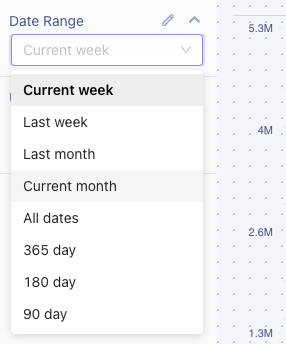
- Date range filters: Let viewers choose preset or custom date ranges.
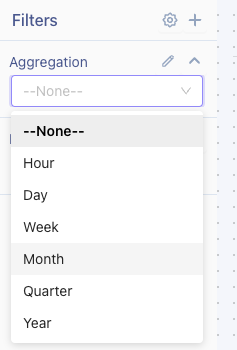
- Aggregation filters: Let viewers group results by intervals such as hour, day, week, month, or year.
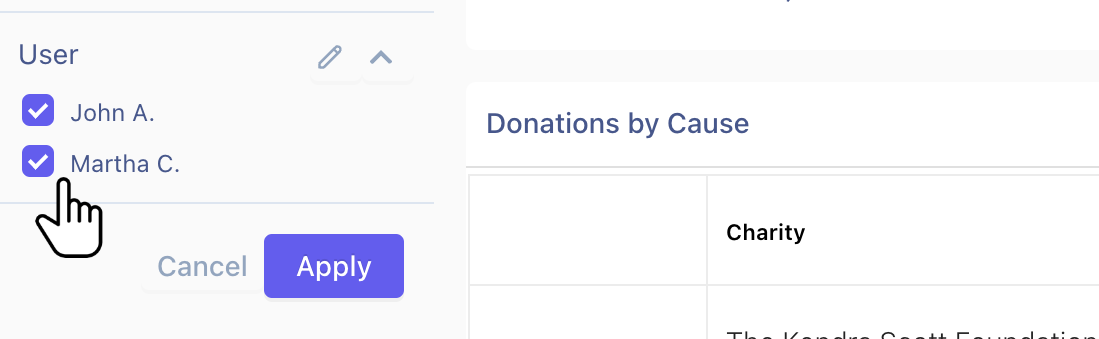
- Custom filters: Let viewers select values such as customer, account, region, status, or product.
All three sit in the filter bar at the top of a dashboard. A date range filter offers presets and a calendar for anything custom:
An aggregation filter changes the grouping interval without touching the query:
A custom filter offers the business values you define — customer, region, plan, status:
Filters and SQL
Filters are most useful when chart SQL references them. The filter value becomes part of the query logic, so the same chart can respond to viewer selections.
Default values
Default values define the initial filter state when a dashboard loads. Defaults are important for shared dashboard views and embedded dashboards because they control what viewers see first.
Filter visibility
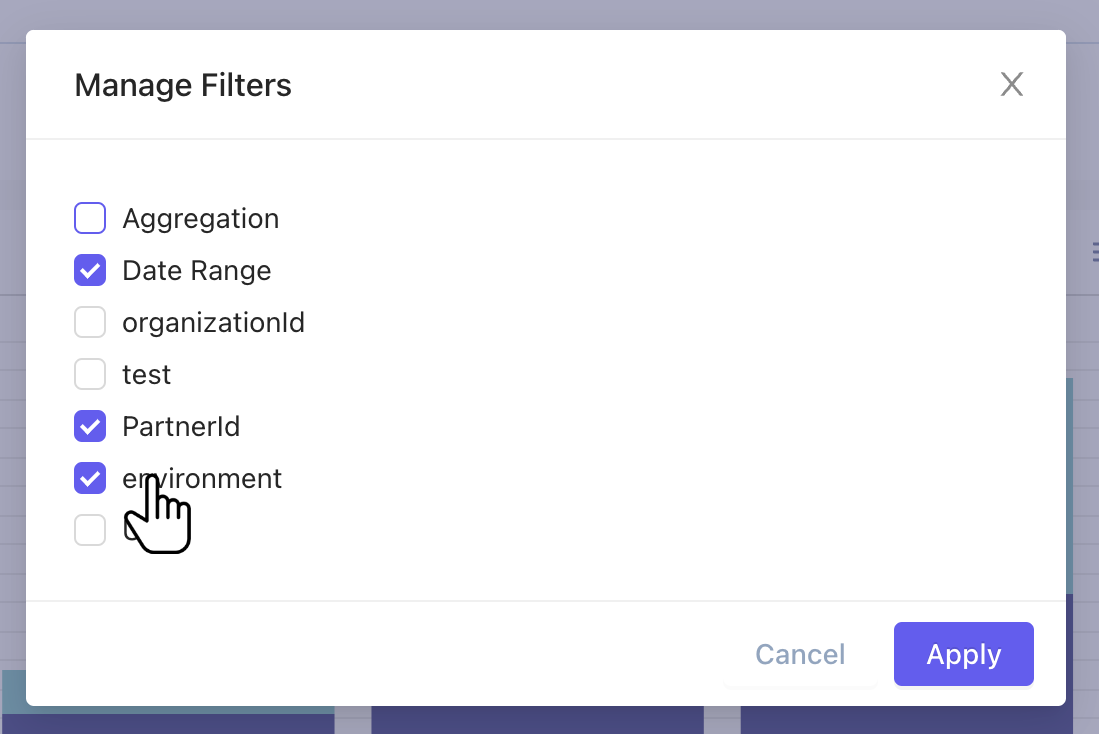
Not every filter needs to be visible to every viewer. You can manage filter visibility when you want a value to be applied behind the scenes or exposed only in certain shared views.
Filters in shared and embedded dashboards
Shared dashboards and embedded dashboards can use filter values to tailor the dashboard for a specific customer, tenant, user, region, or account.
FAQ
What is the difference between a date range filter, aggregation filter, and custom filter?
A date range filter controls time windows, an aggregation filter controls grouping intervals such as day or month, and a custom filter controls business-specific values such as customer, region, or product.
Do filters work only on dashboards or also on embeds?
Filters work in dashboards, shared dashboards, and embedded dashboards when the underlying chart SQL is built to use those filter values.
Do filters change chart SQL directly?
Only if the SQL references them. Filters do not change a chart automatically unless the query is written to consume those values.
Can I hide a filter from some viewers?
Yes. You can manage filter visibility so some filters stay applied behind the scenes while others remain visible to viewers.