Chart styling controls how Tractorscope visualizations look and how easily viewers can read them.
Styling options
Depending on chart type, settings can include:
- Series colors
- Color groups
- Labels
- Legends
- Tooltips
- Axes
- Grid lines
- Background colors
- Borders
- Margins and padding
- Points and line styles
Branding
Use color groups to keep dashboards consistent with your company or product brand. This is especially important for embedded analytics.
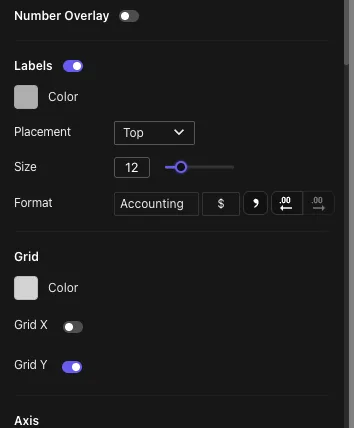
The style controls sit in the chart's settings rail, grouped by what they affect — value labels and their number format, grid lines per axis, then the axes themselves:
Readability tips
- Use colors consistently across dashboards.
- Keep labels concise.
- Show legends when multiple series need explanation.
- Avoid unnecessary grid lines.
- Use enough padding for axis labels and long category names.